Candlestick & OHLC
Financial OHLC data with a crosshair.
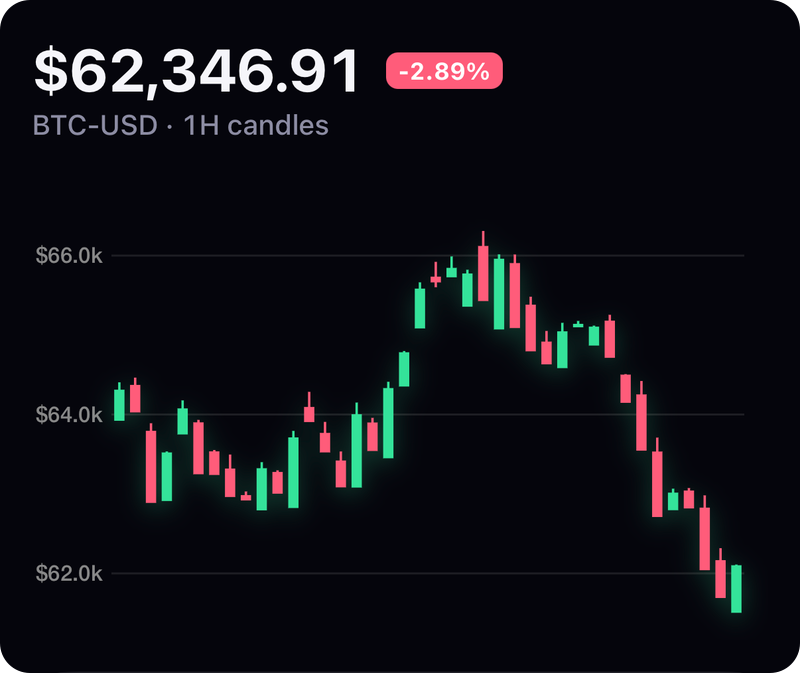
Screenshot from the example app. Run it to try every option live.
Usage
import { CandlestickChart, OHLCChart } from 'react-native-skia-chart';

<CandlestickChart width={w} height={240} data={candles} interactive />
<OHLCChart width={w} height={240} data={candles} />
Props
| Prop | Type | Default | Notes |
|---|---|---|---|
data | Candle[] ({ open, high, low, close }) | — | |
positiveColor | string | '#26A69A' | |
negativeColor | string | '#EF5350' | |
variant | 'candle' | 'ohlc' | 'candle' | OHLCChart sets ohlc. |
showGrid | boolean | true | |
formatY | (v) => string | — | |
interactive | boolean | false | Crosshair scrubbing. |
onScrub | (candle, index) => void | — |
All charts also accept the shared props: width, height, padding, style, backgroundColor, animation, font, effects and gradient.
Gradient
<CandlestickChart {...props} gradient={{ type: 'linear', colors: ['#ffffff', '#000000'], mode: 'overlay', opacity: 0.3 }} />
GPU notes
Use overlay mode so up/down colours stay readable. The crosshair runs on the UI thread.