GPU effects
Every chart accepts an effects prop. All effects are executed by Skia Graphite on the GPU (Metal / Vulkan).
<AreaChart
  width={340} height={220} data={data}
  effects={{
    shadow: { dy: 8, blur: 10, color: '#7C5CFF88' },
    glow: 8,
    colorFilter: 'saturate',
    shader: 'shimmer',
    blendMode: 'screen',
    dash: [8, 4],
    cornerRadius: 6,
    clipReveal: 900,
  }}
/>
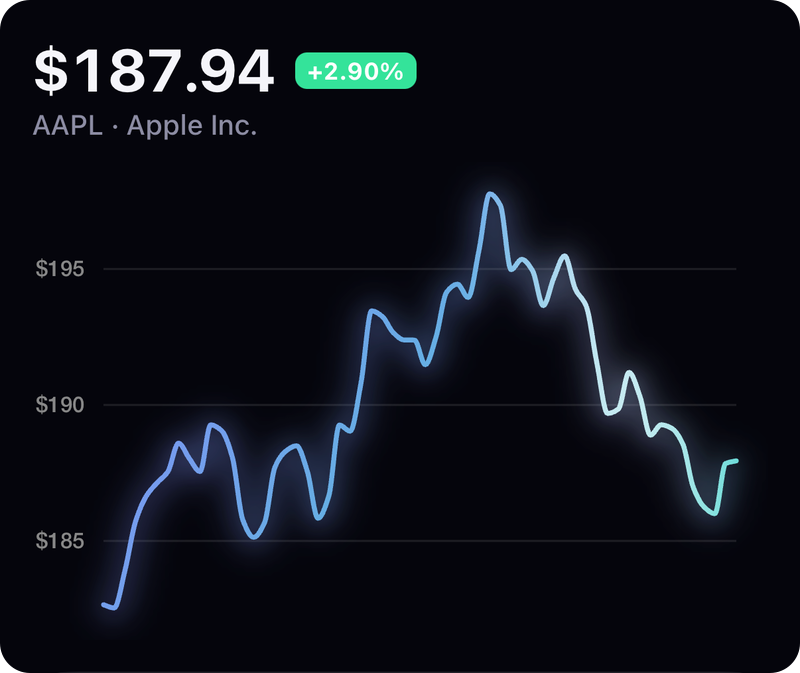
Linear gradient, glow: 8 and shader: 'shimmer' in the example app's Line playground.
| Option | Type | Skia primitive | Notes |
|---|---|---|---|
shadow | boolean | { dx, dy, blur, color } | <Shadow> image filter | applied to the chart layer |
glow | number (σ) | <BlurMask> | draws a blurred copy under the chart |
blur | number | <Blur> image filter | e.g. loading state |
colorFilter | 'grayscale' | 'sepia' | 'invert' | 'saturate' | number[] | <ColorMatrix> | custom 4×5 matrix allowed |
blendMode | ChartBlendMode | layer paint blendMode | screen, plus, multiply, … |
dash | number[] | <DashPathEffect> | intervals |
cornerRadius | number | <CornerPathEffect> | rounds sharp corners |
clipReveal | number (ms) | animated <Group clip> | left→right reveal |
shader | 'shimmer' | 'aurora' | 'scanlines' | Skia.RuntimeEffect (SkSL) + useClock | composited with srcATop |
Effects that need a layer (shadow, blur, colorFilter, blendMode, shader) render the chart into an offscreen GPU target via <Group layer>.
Use it in your own Skia canvas
import { Canvas, Circle } from 'react-native-skia';
import { EffectsLayer } from 'react-native-skia-chart';

<Canvas style={{ width: 200, height: 200 }}>
  <EffectsLayer width={200} height={200} effects={{ glow: 10, shader: 'aurora' }}>
    <Circle cx={100} cy={100} r={60} color="#7C5CFF" />
  </EffectsLayer>
</Canvas>